What is React? JSX Introduction and Your First Component
What problem React actually solves, how JSX syntax works, and how to build your first component.

As an app grows, its JavaScript bundle grows with it — meaning users take longer to load the app the first time, even if they only want to see the homepage. Code splitting lets you break the bundle into smaller pieces that load only when needed.
import { lazy, Suspense } from 'react';

const AdminDashboard = lazy(() => import('./AdminDashboard'));

function App() {
  return (
    <Suspense fallback={<p>Loading dashboard...</p>}>
      <AdminDashboard />
    </Suspense>
  );
}
lazy(() => import(...)) tells Vite/Webpack to put AdminDashboard in its own separate JS chunk, and while that chunk is loading, the <Suspense fallback> is shown on screen.
import { lazy, Suspense } from 'react';
import { Routes, Route } from 'react-router-dom';

const Home = lazy(() => import('./pages/Home'));
const About = lazy(() => import('./pages/About'));
const AdminPanel = lazy(() => import('./pages/AdminPanel'));

function App() {
  return (
    <Suspense fallback={<p>Loading page...</p>}>
      <Routes>
        <Route path="/" element={<Home />} />
        <Route path="/about" element={<About />} />
        <Route path="/admin" element={<AdminPanel />} />
      </Routes>
    </Suspense>
  );
}
Now each route's code only downloads when a user actually visits it — users who only look at the homepage never download the heavy /admin code at all.
Suspense boundary per page to minimize flicker.React.lazy plus dynamic import() creates a separate chunk for a component's code.<Suspense fallback> shows placeholder UI while loading.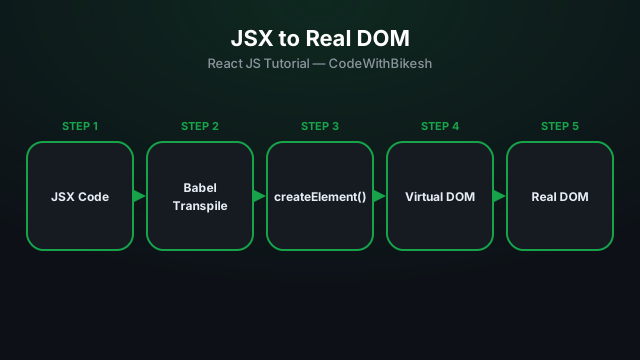
What problem React actually solves, how JSX syntax works, and how to build your first component.
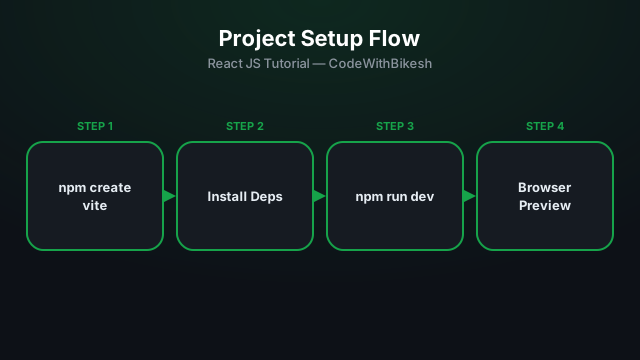
Set up a modern React project in seconds with Vite, and understand the resulting folder structure.
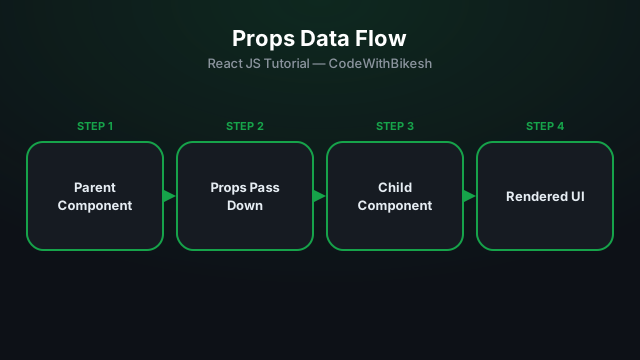
Build functional components and pass data from parent to child components using props.