Setting Up a React App with Vite
Set up a modern React project in seconds with Vite, and understand the resulting folder structure.
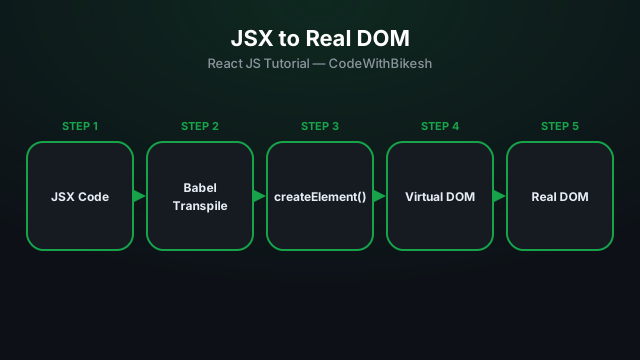
React is a JavaScript library built by Facebook (Meta) for building user interfaces efficiently. The core idea is simple: you break your UI into small, reusable components, and React figures out exactly what needs to change on screen when your data changes — you never have to manipulate the DOM by hand.
JSX is a syntax extension that lets you write HTML-like markup directly inside JavaScript. Browsers can't understand JSX natively — Babel transpiles it into plain JavaScript (React.createElement calls) before the code ever runs.
// This JSX:
const element = <h1 className="title">Hello, React!</h1>;

// gets transpiled by Babel into:
const element = React.createElement('h1', { className: 'title' }, 'Hello, React!');A React component is simply a JavaScript function that returns JSX. By convention, component names always start with a capital letter (Greeting, HomePage) so React can tell them apart from regular HTML tags.
function Greeting() {
  return (
    <div>
      <h1>Hello, World! 👋</h1>
      <p>This is my first React component.</p>
    </div>
  );
}

export default Greeting;
Note: every component in JSX can only return a single root element — that's why everything above is wrapped in one <div>. If you don't want an extra wrapper element, you can use <>...</> (a Fragment) instead.
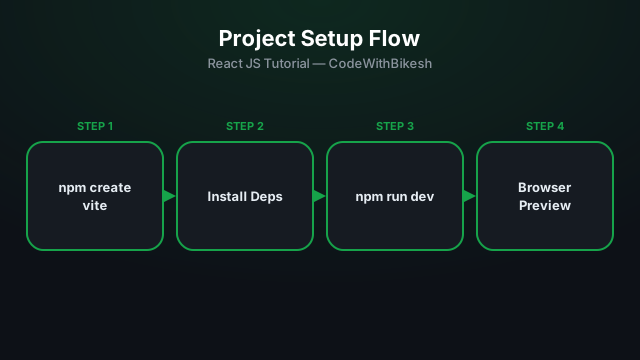
Set up a modern React project in seconds with Vite, and understand the resulting folder structure.
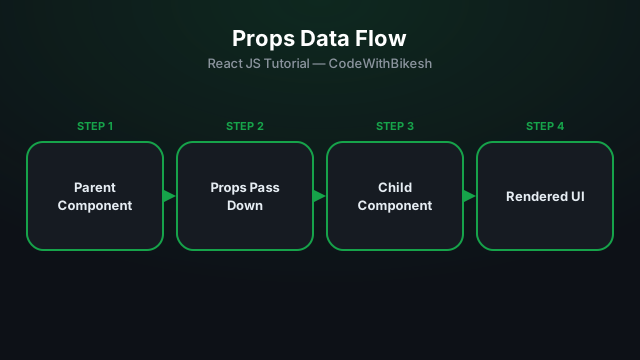
Build functional components and pass data from parent to child components using props.
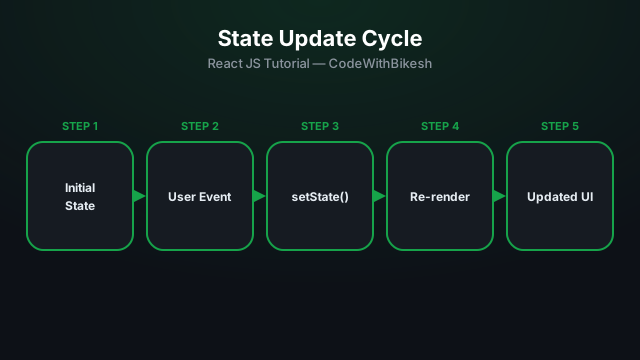
Learn to manage local state inside a component with the useState hook, using a counter example.