What is React? JSX Introduction and Your First Component
What problem React actually solves, how JSX syntax works, and how to build your first component.
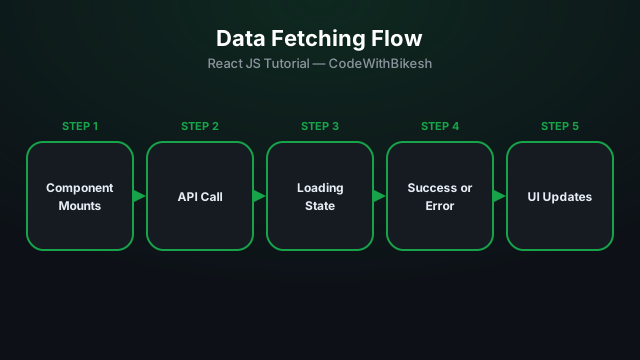
In real-world apps, most data comes from a backend API. The standard React pattern is: call it inside useEffect, and track three states — loading, data, and error.
function ProductList() {
  const [products, setProducts] = useState([]);
  const [loading, setLoading] = useState(true);
  const [error, setError] = useState(null);

  useEffect(() => {
    fetch('/api/products')
      .then(res => {
        if (!res.ok) throw new Error('Failed to fetch products');
        return res.json();
      })
      .then(data => setProducts(data))
      .catch(err => setError(err.message))
      .finally(() => setLoading(false));
  }, []);

  if (loading) return <p>Loading...</p>;
  if (error) return <p>Error: {error}</p>;

  return (
    <ul>
      {products.map(p => <li key={p.id}>{p.name}</li>)}
    </ul>
  );
}npm install axiosimport axios from 'axios';
useEffect(() => {
async function loadProducts() {
try {
const response = await axios.get('/api/products');
setProducts(response.data);
} catch (err) {
setError(err.message);
} finally {
setLoading(false);
}
}
loadProducts();
}, []);Axios has a few advantages over fetch: automatic JSON parsing, automatically throwing an error on non-2xx status codes, and request/response interceptors — which is why most production apps prefer it.
fetch doesn't throw on non-2xx responses by default — you have to check res.ok manually.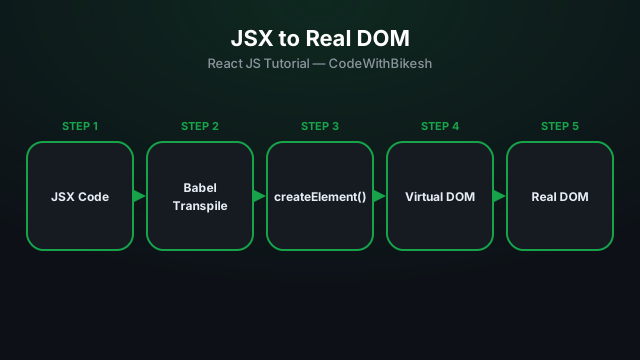
What problem React actually solves, how JSX syntax works, and how to build your first component.
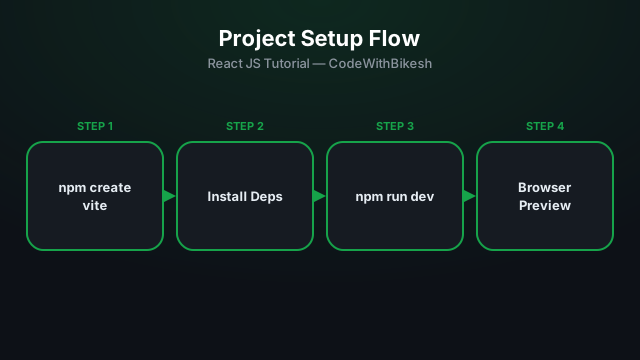
Set up a modern React project in seconds with Vite, and understand the resulting folder structure.
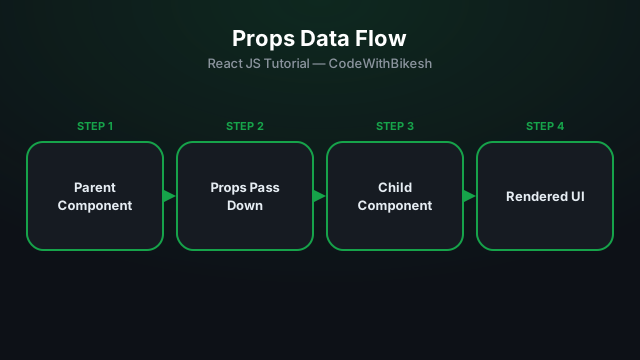
Build functional components and pass data from parent to child components using props.