What is React? JSX Introduction and Your First Component
What problem React actually solves, how JSX syntax works, and how to build your first component.
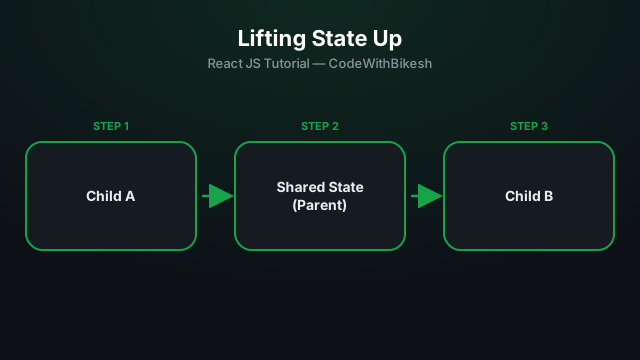
Sometimes two sibling components need access to the same data — like a search input and its results list, or a shopping cart count that shows up in both the header and the cart page. In such cases, the state should live in the closest common parent of both components — this is called "lifting state up."
If each component keeps its own state, they get out of sync. The solution: move the state one level up and pass it down through props.
function TemperatureInput({ label, value, onChange }) {
  return (
    <div>
      <label>{label}: </label>
      <input value={value} onChange={(e) => onChange(e.target.value)} />
    </div>
  );
}

function Converter() {
  const [celsius, setCelsius] = useState('');

  const fahrenheit = celsius === '' ? '' : (Number(celsius) * 9) / 5 + 32;

  return (
    <div>
      <TemperatureInput label="Celsius" value={celsius} onChange={setCelsius} />
      <TemperatureInput
        label="Fahrenheit"
        value={fahrenheit}
        onChange={(f) => setCelsius(((Number(f) - 32) * 5) / 9)}
      />
    </div>
  );
}
Here the celsius state lives only in Converter (the parent) — both TemperatureInput children just use it via props, which keeps them always in sync.

What problem React actually solves, how JSX syntax works, and how to build your first component.

Set up a modern React project in seconds with Vite, and understand the resulting folder structure.
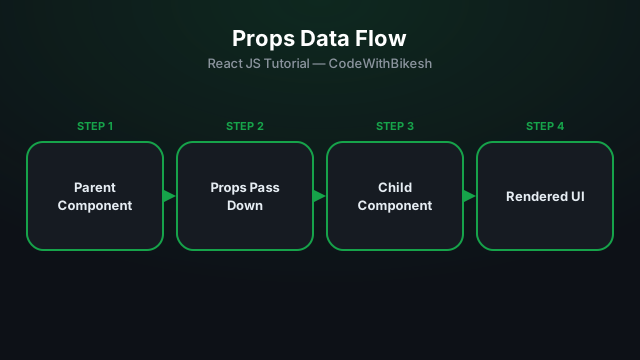
Build functional components and pass data from parent to child components using props.