What is React? JSX Introduction and Your First Component
What problem React actually solves, how JSX syntax works, and how to build your first component.
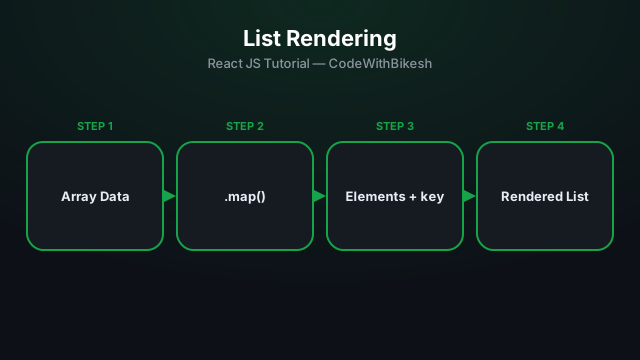
Real apps deal with data mostly as arrays — products, comments, users. In React, rendering such lists is done with plain JavaScript's .map().
const skills = ['React', 'Laravel', 'Node.js', 'MongoDB'];

function SkillList() {
  return (
    <ul>
      {skills.map(skill => (
        <li key={skill}>{skill}</li>
      ))}
    </ul>
  );
}The key on each list item tells React which item is which — so when the list changes (add/remove/reorder), React can correctly figure out which DOM element to reuse and which to create, instead of re-rendering the whole list.
const users = [
  { id: 101, name: 'Bikesh' },
  { id: 102, name: 'Sabin' },
];

function UserList() {
  return (
    <ul>
      {users.map(user => (
        <li key={user.id}>{user.name}</li>
      ))}
    </ul>
  );
}// ❌ Avoid — if the list gets reordered/filtered, bugs can creep in
{items.map((item, index) => <li key={index}>{item.name}</li>)}
// ✅ Better — use a stable, unique id
{items.map(item => <li key={item.id}>{item.name}</li>)}Index is only fine when a list will never be reordered, filtered, or have items inserted (a static, always-fixed list).
.map() converts array data into JSX elements.key should always be a stable, unique value — a database id works best.
What problem React actually solves, how JSX syntax works, and how to build your first component.

Set up a modern React project in seconds with Vite, and understand the resulting folder structure.
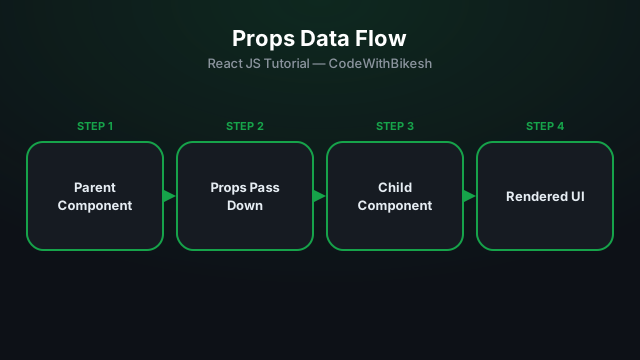
Build functional components and pass data from parent to child components using props.