What is React? JSX Introduction and Your First Component
What problem React actually solves, how JSX syntax works, and how to build your first component.
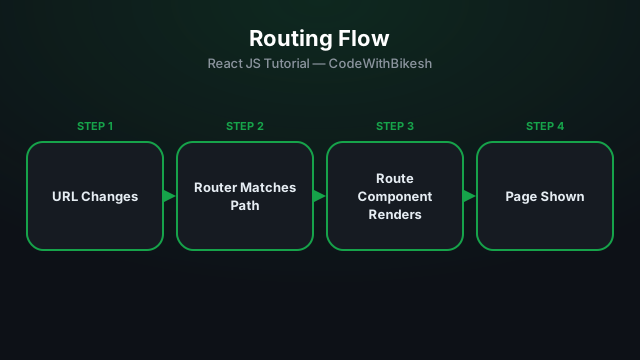
React is a single-page app (SPA) by default. To give the illusion of multiple "pages" — without a full page reload — the React Router library is used.
npm install react-router-domimport { BrowserRouter, Routes, Route } from 'react-router-dom';
function App() {
return (
<BrowserRouter>
<Routes>
<Route path="/" element={<Home />} />
<Route path="/about" element={<About />} />
<Route path="/blog/:slug" element={<BlogPost />} />
<Route path="*" element={<NotFound />} />
</Routes>
</BrowserRouter>
);
}<Routes> renders the first <Route> that matches the current URL. path="*" is a catch-all — used when nothing else matches (a 404 page).
import { Link } from 'react-router-dom';

function Navbar() {
  return (
    <nav>
      <Link to="/">Home</Link>
      <Link to="/about">About</Link>
    </nav>
  );
}
A plain <a href> triggers a full page reload. <Link> changes the URL without a reload — that's the core magic of SPA navigation.
import { useParams, useNavigate } from 'react-router-dom';

function BlogPost() {
  const { slug } = useParams(); // /blog/my-first-post -> slug = "my-first-post"
  const navigate = useNavigate();

  function goBack() {
    navigate(-1); // like the browser's back button
  }

  return (
    <div>
      <h1>Post: {slug}</h1>
      <button onClick={goBack}>Go Back</button>
    </div>
  );
}<Routes> + <Route> render a component based on the current URL.<Link> for navigation, not <a> — to avoid a reload.useParams() reads dynamic URL segments, useNavigate() lets you navigate from code.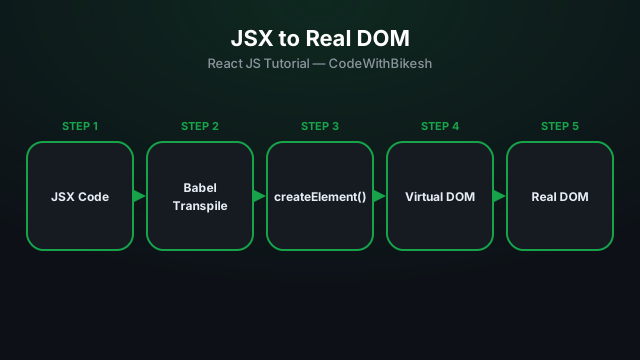
What problem React actually solves, how JSX syntax works, and how to build your first component.
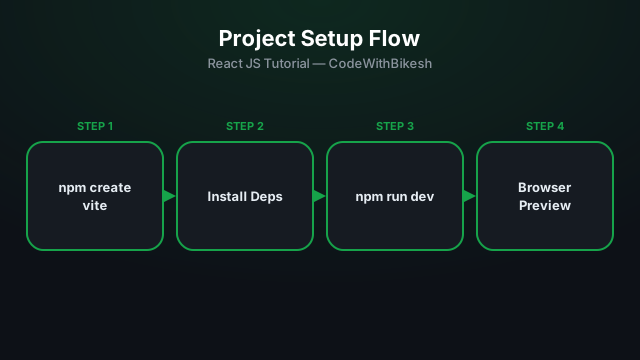
Set up a modern React project in seconds with Vite, and understand the resulting folder structure.
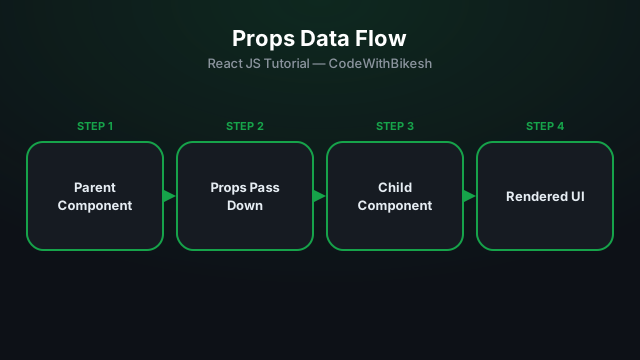
Build functional components and pass data from parent to child components using props.