What is React? JSX Introduction and Your First Component
What problem React actually solves, how JSX syntax works, and how to build your first component.

React doesn't force any styling opinion on you — you can use anything from plain CSS to CSS-in-JS libraries. Each approach has its own trade-offs.
import './Button.css';

function Button() {
  return <button className="btn-primary">Click Me</button>;
}
Simple, but class names live in global scope — in larger projects this can cause naming clashes (a .card class defined in one file gets overwritten by another).
// Button.module.css
.primary { background: #16a34a; color: white; }

// Button.jsx
import styles from './Button.module.css';

function Button() {
  return <button className={styles.primary}>Click Me</button>;
}
The build tool (via the .module.css file) automatically makes class names unique (like Button_primary__a3f2) — so clashes just aren't a concern.
npm install styled-componentsimport styled from 'styled-components';
const PrimaryButton = styled.button`
background: #16a34a;
color: white;
padding: 10px 20px;
border-radius: 8px;
&:hover {
background: #15803d;
}
`;
function Button() {
return <PrimaryButton>Click Me</PrimaryButton>;
}Styles live in the same JavaScript file as the component, and can be dynamic based on props (styled.button\`color: ${props => props.color}\`).
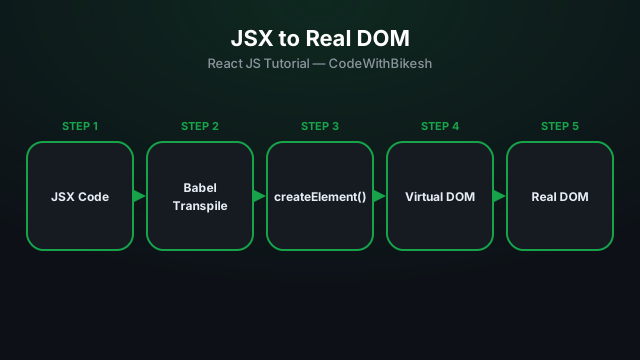
What problem React actually solves, how JSX syntax works, and how to build your first component.
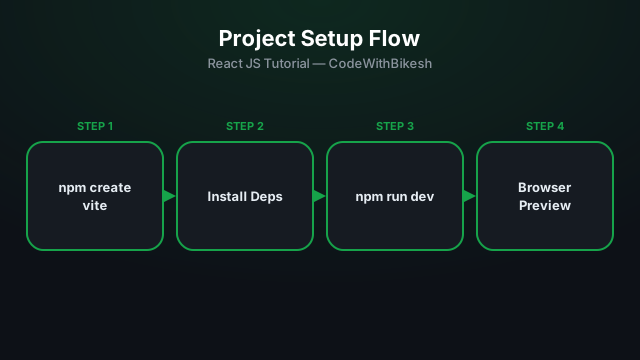
Set up a modern React project in seconds with Vite, and understand the resulting folder structure.
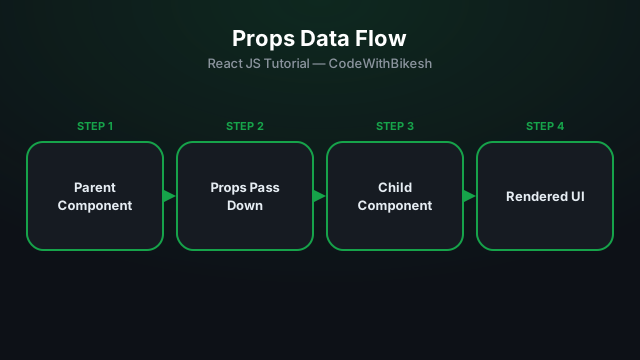
Build functional components and pass data from parent to child components using props.