What is React? JSX Introduction and Your First Component
What problem React actually solves, how JSX syntax works, and how to build your first component.
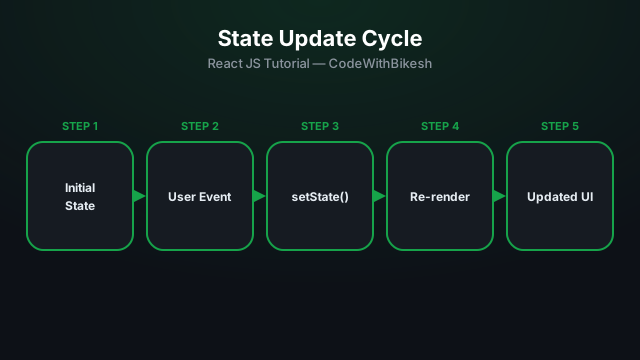
Props only let data flow in from outside, but if a component needs to remember its own data that changes over time (a counter, a toggle, an input value) — you need state. useState is React's most fundamental hook for that.
import { useState } from 'react';

function Counter() {
  const [count, setCount] = useState(0);

  return (
    <div>
      <p>Count: {count}</p>
      <button onClick={() => setCount(count + 1)}>+1</button>
      <button onClick={() => setCount(count - 1)}>-1</button>
    </div>
  );
}
useState(0) returns an array: the first element is the current value (count), and the second is a function (setCount) that updates the value and triggers a re-render of the component.
// ❌ Wrong — React has no idea this happened
count = count + 1;

// ✅ Correct — use the setter function
setCount(count + 1);

// ✅ Even better when the new value depends on the previous one:
setCount(prevCount => prevCount + 1);
The functional update form (prevCount => ...) is safe when multiple updates happen at once, because React guarantees prevCount is always the latest value.
Even when state is an object, you have to replace it rather than mutate it:
const [user, setUser] = useState({ name: 'Bikesh', age: 25 });

// To update just the age, spread the rest to copy the other fields:
setUser(prev => ({ ...prev, age: 26 }));useState triggers a re-render so the UI stays in sync with new data.prev => ...).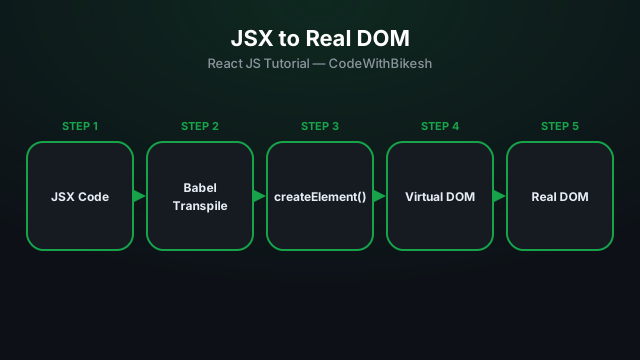
What problem React actually solves, how JSX syntax works, and how to build your first component.
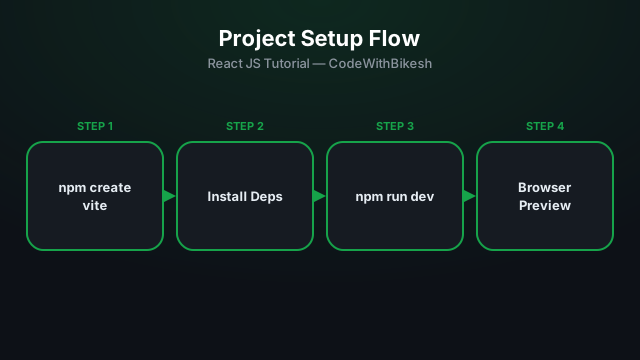
Set up a modern React project in seconds with Vite, and understand the resulting folder structure.
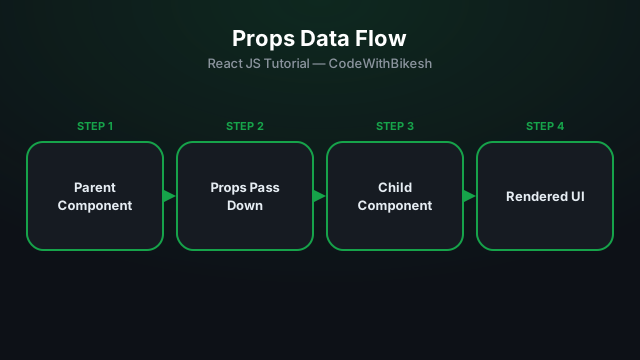
Build functional components and pass data from parent to child components using props.